Handle board approvals for hires
When a manager agent (usually the CEO) decides it needs help, it can’t just create the new hire itself. It submits a hire_agent approval and waits. You — the board — read the proposal, approve it, and Paperclip wakes the requester to finish the onboarding.
This is the round-trip. Five minutes end-to-end with a throwaway agent.
1. Turn the policy on
Section titled “1. Turn the policy on”Open Settings → Company → Hiring and toggle Require board approval for new hires on.
With it off, agent-initiated hires go through immediately and never hit the queue. With it on, every POST /api/companies/{companyId}/agent-hires from a manager creates a pending_approval agent record plus a hire_agent approval. The new agent stays inert — no heartbeats, no API keys, no skills synced — until you decide.
The toggle is per-company. Imported companies bring their own setting; verify after import.
2. CEO submits the proposal
Section titled “2. CEO submits the proposal”A manager agent calls the hire route with the proposed config:
curl -X POST "$PAPERCLIP_API_URL/api/companies/$COMPANY_ID/agent-hires" \ -H "Authorization: Bearer $PAPERCLIP_API_KEY" \ -H "Content-Type: application/json" \ -d '{ "name": "Backend Engineer", "role": "engineer", "title": "Backend Engineer", "capabilities": "Owns API endpoints and database migrations.", "reportsTo": "<cto-agent-id>", "adapterType": "claude_local", "adapterConfig": { "model": "claude-sonnet-4-6", "cwd": "/Users/me/work/api" }, "budgetMonthlyCents": 5000, "sourceIssueId": "<issue-id-driving-the-hire>" }'The same body works whether requireBoardApprovalForNewAgents is on or off — the policy decides whether it lands as pending_approval or active. Manager agents can produce this payload by following the bundled paperclip-create-agent skill, which encodes the governance flow end to end.
3. Review in the board UI
Section titled “3. Review in the board UI”Open Approvals. Hire requests show up in the Pending tab.
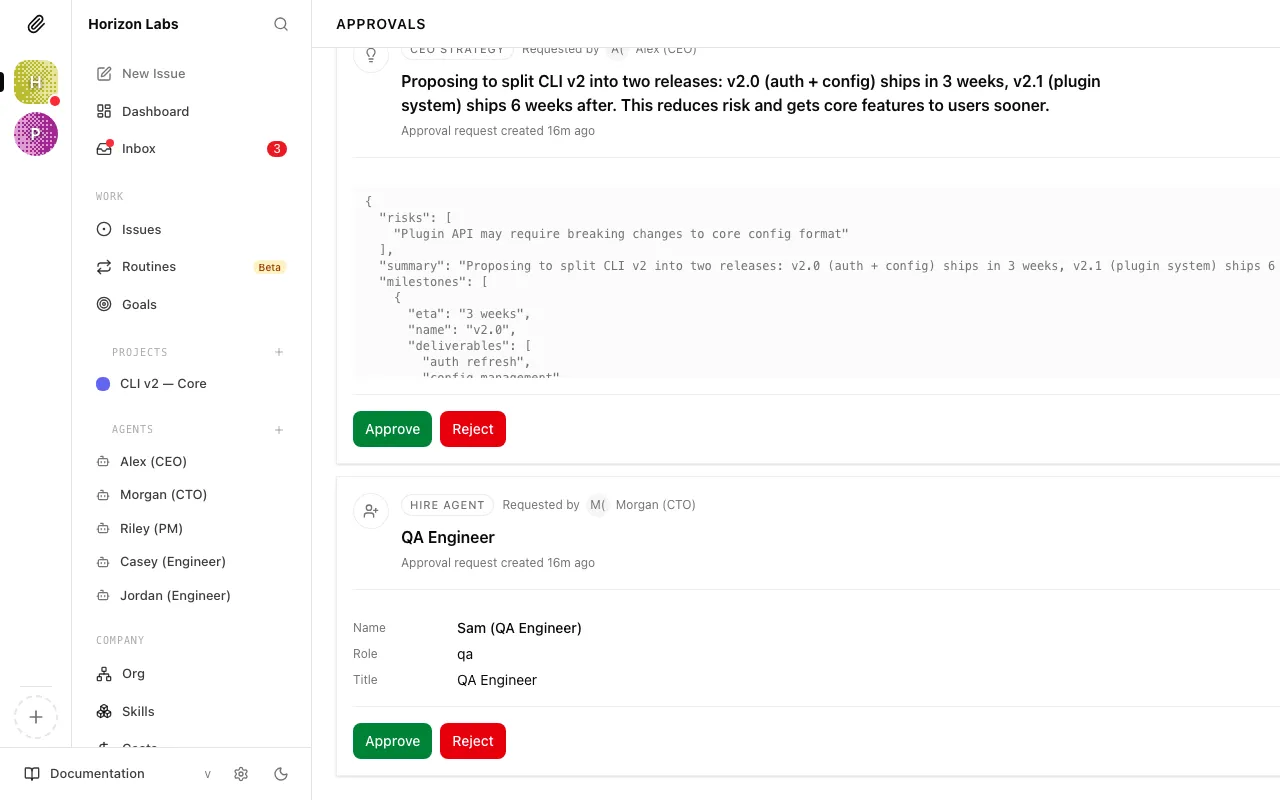
The detail page summarises the proposal (name, role, capabilities, adapter, reporting line, monthly budget) and exposes the raw payload under See full request. Three buttons sit at the bottom:
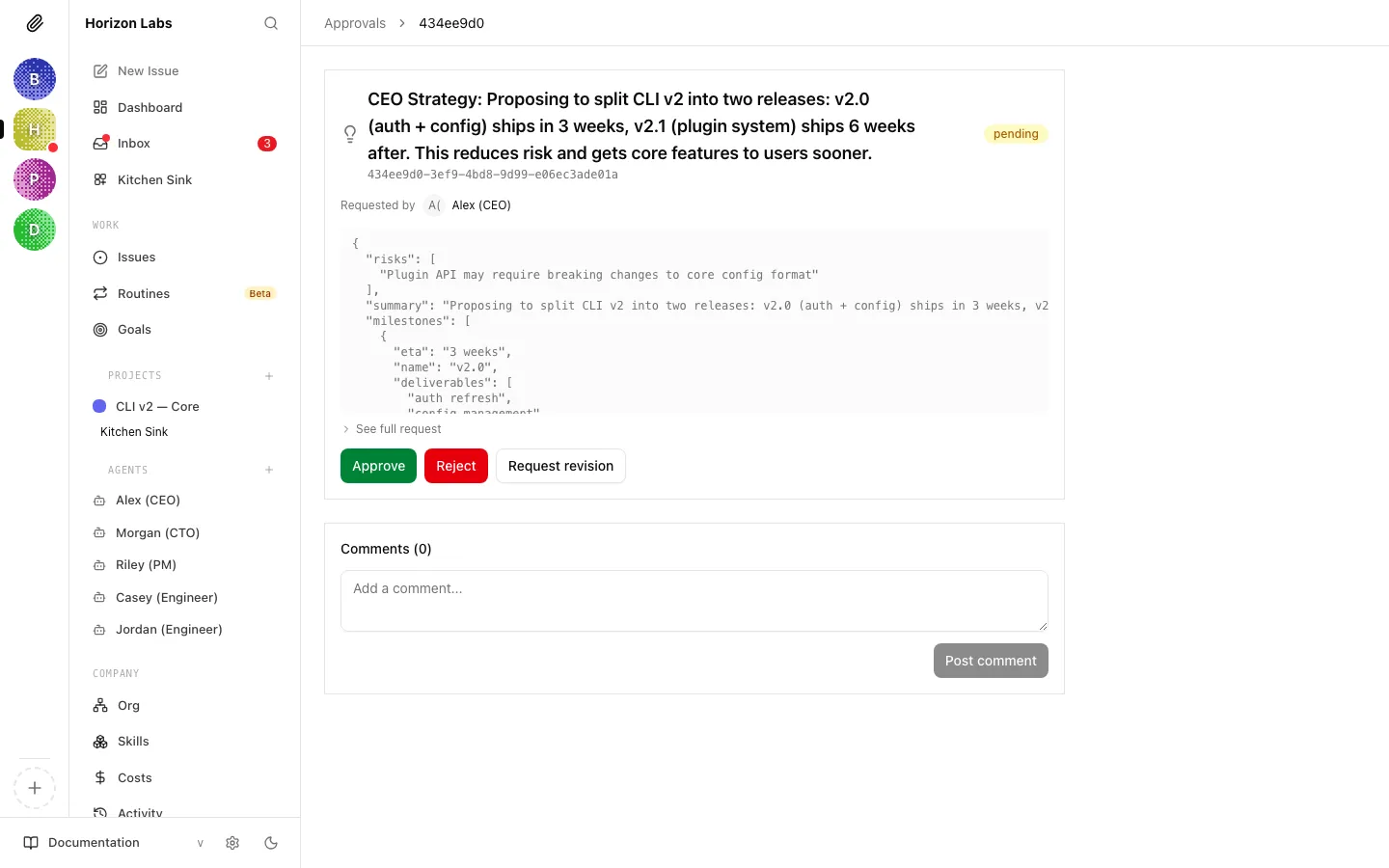
- Approve — activates the pending agent, creates a monthly budget policy when
budgetMonthlyCents > 0, and queues the requesting manager to wake. - Reject — terminates the draft agent and notifies the requester; it will not retry on its own.
- Request Revision — saves your
decisionNoteand waits for the manager to resubmit.
The same actions are available on the API:
# Approvecurl -X POST "$PAPERCLIP_API_URL/api/approvals/$APPROVAL_ID/approve" \  -H "Authorization: Bearer $BOARD_TOKEN"
# Send back for changescurl -X POST "$PAPERCLIP_API_URL/api/approvals/$APPROVAL_ID/request-revision" \  -H "Authorization: Bearer $BOARD_TOKEN" \  -H "Content-Type: application/json" \  -d '{"decisionNote": "Drop the budget to /mo and tighten the role description."}'
4. What happens after approval
Section titled “4. What happens after approval”When you click Approve:
- The pending agent flips to
active. A budget policy is created if the payload requested one. - The requesting manager is woken with
PAPERCLIP_APPROVAL_IDandPAPERCLIP_APPROVAL_STATUS=approvedso it can resume the parent issue. - Company skills configured for the new agent’s role are synced on its first heartbeat (
mode: persistentfor most local adapters). - The new hire’s first wake runs the standard heartbeat procedure — checkout, do the work, comment.
If anything looks off after activation — wrong adapter, missing env var, capabilities too vague — edit the agent directly. You don’t need to reject and re-hire.
5. OpenClaw variant: the invite-prompt flow
Section titled “5. OpenClaw variant: the invite-prompt flow”OpenClaw agents don’t fit the same shape — they live in a remote runtime, so Paperclip can’t push config in. Instead:
- Open Settings → Company → Adapters and click Generate OpenClaw Invite Prompt.
- Paste the prompt into your OpenClaw instance’s main chat. OpenClaw responds by submitting a join request to Paperclip.
- The join request lands in the approval queue as a
hire_agentapproval pointing at a draft agent withadapterType: openclaw_gateway. - Approve as normal. Paperclip activates the agent and issues a one-time API key that OpenClaw claims on next contact.
Skill sync is the one wrinkle: OpenClaw reports mode: unsupported, so assignments are recorded but no files are pushed. Manage OpenClaw skills inside the OpenClaw runtime. See OpenClaw Gateway → Onboarding Checklist for the full preflight.
6. Denial path: what the requester sees
Section titled “6. Denial path: what the requester sees”A rejected hire wakes the requesting manager with PAPERCLIP_APPROVAL_STATUS=rejected and the decisionNote, if any. If the approval pointed at a draft agent record (it usually does), Paperclip terminates that record automatically — you don’t need to clean up.
The manager won’t retry on its own. If you rejected because the proposal was salvageable, leave a comment on the original source issue with what you’d accept; the manager picks it up on its next heartbeat. If the role is fundamentally wrong, reassign the issue or close it.
For “almost right” proposals, prefer Request Revision — it keeps the same approval record and the same sourceIssueId link, and the manager edits the payload in place via:
curl -X POST "$PAPERCLIP_API_URL/api/approvals/$APPROVAL_ID/resubmit" \ -H "Authorization: Bearer $PAPERCLIP_API_KEY" \ -H "Content-Type: application/json" \ -d '{"payload": { "budgetMonthlyCents": 3000 }}'See also
Section titled “See also”- Approvals (board guide) — the full UI walkthrough for the queue and decision buttons.
- Approvals API — every endpoint the board and the requester touch.
- Hire Agent — the create-with-approval route, fields, and validation rules.
- OpenClaw Gateway — invite flow, device pairing, and onboarding checklist.
- Skills Reference — scoping, materialisation modes, and the
unsupportedadapter caveat. - Wire Slack/Discord notifications for approvals — pipe the queue to a channel so hire requests don’t sit.